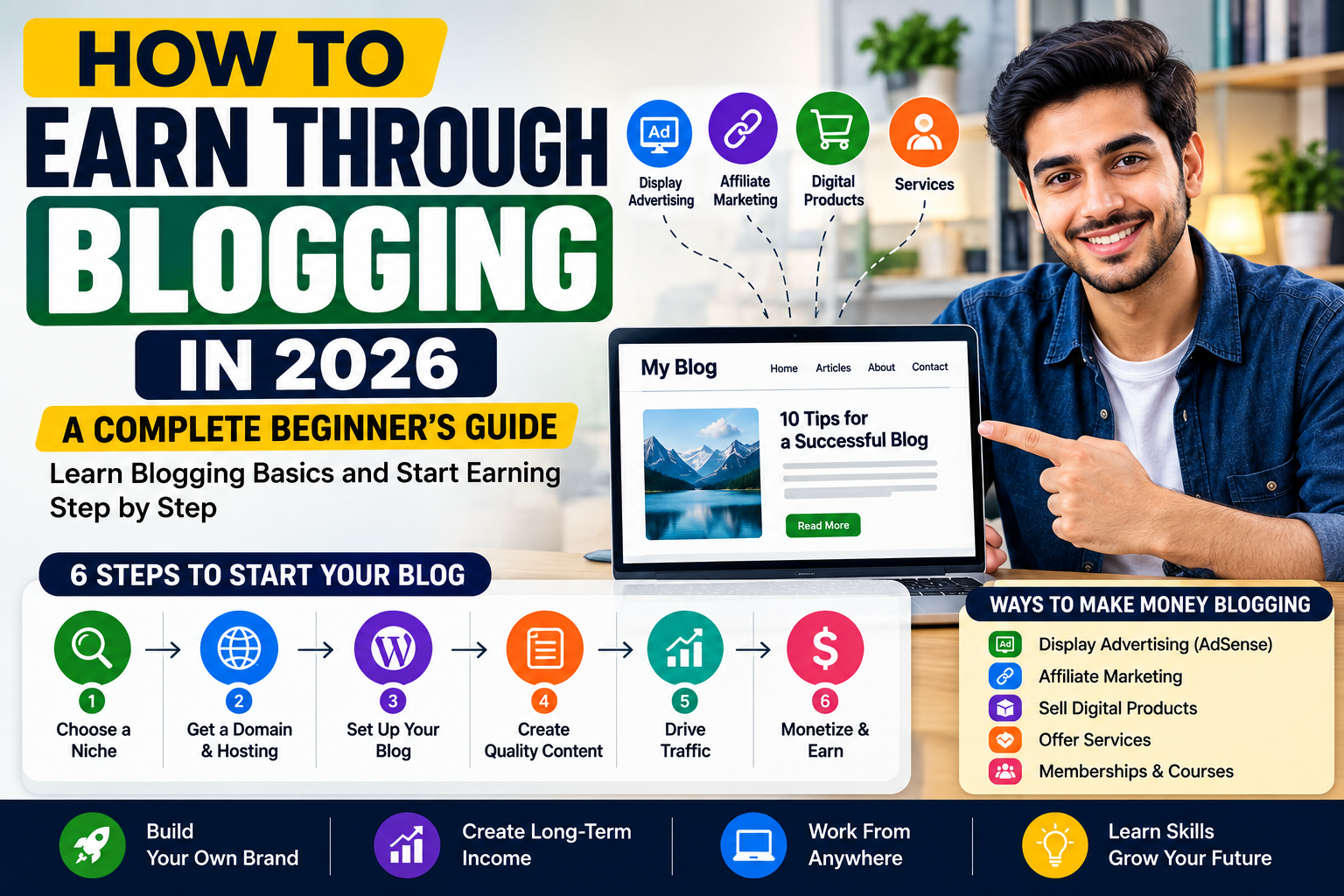
How to Earn Through Blogging in 2026: A Practical Beginner’s Guide
Blogging can become a useful source of online income, but it is not a quick-money system.
A blog normally starts as a collection of helpful articles focused on a particular audience. As those articles attract readers and build trust, the owner may earn through advertisements, affiliate recommendations, sponsored content, services or digital products.
The difficult part is not creating a website. A basic blog can be set up quickly. The real work involves choosing a clear topic, answering genuine questions, publishing consistently and improving articles based on what readers need.
This guide explains the basic steps required to start a blog and gradually turn it into an online earning project.
Blogging Overview
| Information | Details |
|---|---|
| Earning method | Advertising, affiliate marketing, services and products |
| Experience required | Suitable for beginners |
| Starting cost | Free or paid, depending on the platform |
| Main requirement | Useful and original content |
| Time commitment | Regular writing and website maintenance |
| Income guarantee | No |
| Best approach | Focused topic and people-first content |
| Long-term potential | Depends on traffic, trust and monetization |
What Is a Blog?
A blog is a website, or a section of a website, where articles are published regularly.
A blog can cover almost any useful subject, including:
- Career guidance
- Technology
- Food and recipes
- Personal finance
- Education
- Travel
- Home improvement
- Graphic design
- Photography
- Parenting
- Fitness
- Business
- Software tutorials
- Product comparisons
- Hobbies and crafts
Each article should answer a question, solve a problem or help the reader make a better decision.
A blog should not be treated as a place to publish random text only because a keyword appears popular. Google recommends creating content primarily for people instead of producing pages mainly to manipulate search rankings.
Can Beginners Earn Through Blogging?
Yes, beginners can build a blog and eventually earn from it. However, results vary widely.
Earnings depend on factors such as:
- The topic you choose
- The quality of your articles
- Search demand
- Competition
- Reader trust
- Website speed
- Content consistency
- Traffic sources
- Monetization method
- Product relevance
- Audience location
- Time spent improving the website
A new blog may receive very little traffic during its first months. That does not automatically mean the project has failed.
Search engines need time to discover pages, understand the website and determine whether its content is useful. Readers also need time to recognize and trust a new publication.
Instead of setting an unrealistic income deadline, set publishing and improvement goals that you can control.
Step 1: Choose a Focused Blogging Niche
A niche is the main subject of your blog.
A focused niche helps you attract a specific audience and build related articles around their questions.
For example, “technology” is extremely broad. A more focused blog could cover:
- WordPress for beginners
- Productivity tools for freelancers
- Affordable equipment for content creators
- Mobile photography tutorials
- Software for small businesses
Similarly, “food” could be narrowed to:
- Quick family meals
- Baking for beginners
- Air-fryer recipes
- Budget meal preparation
- Restaurant-style sauces at home
A focused topic does not mean you can never expand. It simply gives the website a clear starting direction.
Questions to Ask Before Choosing a Niche
Ask yourself:
- Do I understand this topic?
- Am I willing to research it regularly?
- Can I create at least 30 useful article ideas?
- Are people searching for information about it?
- Are there products, services or advertisements connected to it?
- Can I contribute original examples or practical experience?
- Can the topic remain useful for several years?
- Is the subject too broad for one beginner to cover properly?
Choose a niche that combines audience demand with your ability to create genuinely useful content.
Avoid Choosing a Niche Only for Money
Some topics may appear profitable because they have expensive products or advertisers. However, a high-value topic is not automatically the right choice.
You may struggle when:
- You do not understand the subject
- The competition is extremely strong
- The content requires professional qualifications
- You cannot add original information
- You have no interest in updating articles
- The topic creates legal, medical or financial risks
Trust is especially important in subjects that can affect someone’s health, finances, safety or legal decisions.
Do not pretend to have professional expertise that you do not possess.
Step 2: Define Your Intended Reader
Before writing, decide who the blog is meant to help.
A blog about graphic design could serve:
- Complete beginners
- Freelance designers
- Small-business owners
- Social media managers
- Print designers
- Book-cover creators
Each group has different questions.
For example, a beginner may search for:
- How to choose a design application
- How to create a simple portfolio
- How to export high-quality images
- How to find the right image size
A small-business owner may search for:
- How to design promotional posts
- How to keep branding consistent
- How to create a restaurant menu
- How to prepare files for printing
The more clearly you understand the intended reader, the easier it becomes to choose useful topics.
Step 3: Choose a Blogging Platform
A blogging platform is the system used to create, publish and manage your articles.
Two common starting approaches are:
Hosted Blogging Platform
A hosted platform manages much of the technical setup for you.
This may be suitable when you:
- Want a simpler beginning
- Have a limited technical background
- Do not want to manage hosting
- Are testing a topic before investing heavily
Blogger allows users to create and manage a blog and provides an option to connect eligible blogs with AdSense. Monetization still requires compliance with AdSense policies and restrictions.
Self-Hosted Website
A self-hosted website gives you greater control over:
- Design
- Plugins
- Advertising
- Analytics
- Email tools
- Product sales
- Website structure
- Backups
- Performance
It usually requires purchasing a domain and hosting and handling more technical maintenance.
For a long-term business, many bloggers prefer greater ownership and flexibility. However, beginners should choose the option they can manage consistently.
A complicated website that is never updated is less useful than a simple blog containing strong articles.
Step 4: Select a Domain Name
Your domain name is the address people use to visit your website.
A suitable domain should generally be:
- Easy to spell
- Easy to remember
- Relevant to the topic
- Flexible enough for future growth
- Free from unnecessary numbers or symbols
- Different from existing trademarks
Avoid choosing a name that limits the blog to one year, one product or one extremely narrow idea unless that limitation is intentional.
For example, a name such as BestLaptop2026 may quickly feel outdated.
Before purchasing a domain:
- Search for businesses using a similar name
- Check major social-media platforms
- Check whether the name could violate a trademark
- Read the domain carefully for unintended meanings
- Confirm that it is easy to pronounce
Step 5: Create Essential Website Pages
A professional blog needs more than articles.
Create these essential pages:
About Us
Explain:
- What the website covers
- Who it is intended to help
- Who creates the content
- Why readers should trust the information
Contact Us
Provide a clear way for readers, businesses and copyright owners to contact you.
Privacy Policy
Explain how the website handles information, cookies, analytics, advertising and third-party services.
Disclaimer
Clarify the educational nature of the content and explain that results are not guaranteed.
Terms and Conditions
Set the rules governing use of the website and its content.
Affiliate Disclosure
Create this page when you use affiliate links. Also place a clear disclosure near affiliate recommendations inside individual articles.
Editorial Policy
Explain how content is researched, reviewed, corrected and updated.
These pages do not replace useful articles, but they help readers understand who operates the website and how it works.
Step 6: Plan Your Main Content Categories
Do not create too many empty categories.
Start with three to five closely related sections.
For example, a beginner blogging website could use:
- Starting a Blog
- Content Writing
- Search Engine Optimization
- Website Tools
- Blog Monetization
A design website might use:
- Graphic Design Basics
- Social Media Design
- Branding
- Print Design
- Design Software
Each category should eventually contain several strong articles.
Avoid publishing one article in 20 different categories. Empty or thin sections can make a website feel unfinished.
Step 7: Find Useful Article Ideas
Good blog topics come from genuine reader questions.
You can find ideas through:
- Search suggestions
- Questions asked in online communities
- Customer inquiries
- Comments on relevant videos
- Product reviews
- Frequently asked questions
- Problems you have personally solved
- Questions from clients
- Competitor content gaps
- Industry documentation
Do not copy another website’s article.
Use existing content only to understand the subject and identify what may be missing.
Your article should contribute something useful, such as:
- A clearer explanation
- Original screenshots
- A practical example
- A step-by-step process
- A comparison
- Common mistakes
- Updated information
- First-hand observations
- A downloadable checklist
- A different audience perspective
Informational and Commercial Articles
A healthy blog can include different types of content.
Informational Articles
These help readers learn or solve a problem.
Examples:
- How to start a blog
- How to write a useful article
- How to compress website images
- How to choose a blog category
- How to create an editorial calendar
Commercial Articles
These help readers compare products or services.
Examples:
- Best writing tools for bloggers
- Email platform comparison
- Product A vs Product B
- Website-theme review
- Hosting options for small blogs
Do not publish only product reviews and affiliate comparisons.
Informational content helps build trust and gives readers a reason to return even when they are not ready to purchase.
Step 8: Create a Simple Content Plan
A content plan helps you publish consistently without choosing a random topic every day.
A beginner’s first ten articles could include:
- A complete introduction to the niche
- A beginner’s setup guide
- A list of common mistakes
- A step-by-step tutorial
- A glossary of important terms
- A comparison between two methods
- A troubleshooting guide
- A frequently asked questions article
- A tools and resources guide
- A personal checklist or workflow
Connect these articles with internal links.
For example, an article about choosing a domain can link to:
- Hosting setup
- Website installation
- Blog design
- Essential pages
- First article preparation
This creates a useful path for readers.
Step 9: Write Helpful Articles
A useful article should satisfy the reason the reader opened the page.
A practical structure may include:
- A direct introduction
- A clear answer
- Step-by-step guidance
- Relevant examples
- Common mistakes
- Additional tips
- Frequently asked questions
- A concise conclusion
Do not make the introduction unnecessarily long.
Readers searching for a solution should be able to understand quickly whether the article will help them.
Write Naturally
Use language that is:
- Clear
- Specific
- Easy to scan
- Appropriate for the audience
- Free from unnecessary jargon
Avoid repeating the focus keyword in every paragraph.
Search engine optimization should support people-first content rather than make the writing awkward. Google explicitly states that SEO can be useful when applied to content created primarily for people.
Use Examples
Examples turn general advice into something readers can apply.
Instead of writing:
“Choose a good title.”
Explain:
Weak title:
“Blogging Information”
Stronger title:
“How to Choose Your First Blog Topic: A Beginner’s Checklist”
The second title tells readers exactly what they will learn.
Add Original Value
Original value may include:
- Screenshots you created
- A process you tested
- Your own templates
- A comparison table
- A checklist
- Original photographs
- A case example
- An expert quotation used with permission
- Calculations based on transparent assumptions
Do not invent experience, results or testimonials.
Google says that original, high-quality, people-first content is important regardless of how the content was produced.
Step 10: Optimize Articles for Search
Search engine optimization helps search engines understand your pages.
Choose One Main Search Topic
Each article should have one clear purpose.
For example:
- How to select a blog niche
- How to write a blog introduction
- How to monetize a new blog
- How to improve website speed
Avoid combining ten unrelated subjects into one article merely to make it longer.
Create a Clear Title
Your title should describe the content accurately.
Avoid misleading claims such as:
- Guaranteed income in seven days
- Secret method nobody knows
- Earn thousands without work
- Instant AdSense approval
- Unlimited money with one article
Write a Useful Meta Description
The meta description should summarize the page and encourage the right reader to visit.
Example:
“Learn how to choose a blogging niche by evaluating your knowledge, audience demand, competition and earning opportunities.”
Use Descriptive Headings
Headings should make the article easy to scan.
Use:
- How to Choose a Blog Niche
- Common Niche-Selection Mistakes
- How to Check Audience Demand
Avoid vague headings such as:
- More Details
- Important Information
- Read This
Add Internal Links
Link to related articles using descriptive text.
Instead of:
“Click here.”
Use:
“Read our beginner’s guide to choosing a domain name.”
Optimize Images
For every image:
- Use a descriptive file name
- Compress the file
- Add relevant alternative text
- Use suitable dimensions
- Avoid copyrighted images
- Check mobile display
Keep Information Updated
Review articles when:
- Product prices change
- Platform policies change
- Links stop working
- Screenshots become outdated
- New features are introduced
- Recommendations are no longer suitable
An outdated article can mislead readers even when it was accurate when first published.
Step 11: Attract Visitors
A blog cannot earn without visitors, but traffic should come from legitimate sources.
Search Traffic
Search traffic develops when people find your articles through search engines.
Focus on:
- Clear topics
- Helpful answers
- Original information
- Logical website structure
- Internal links
- Mobile usability
- Accurate titles
- Updated content
Social Media
Share useful parts of your articles through:
- Short tutorials
- Carousels
- Infographics
- Videos
- Question-and-answer posts
- Checklists
- Before-and-after examples
Do not only post links with “read now.”
Give the social-media audience a useful reason to visit the complete article.
Email Newsletter
An email list allows readers to subscribe to updates.
You could offer:
- A free checklist
- A short guide
- A template
- A resource list
- A mini email course
Send useful information consistently instead of filling every email with advertising.
Online Communities
Participate in relevant communities by answering questions genuinely.
Do not join groups only to drop links.
When your article directly answers a question and sharing is allowed, explain why it is relevant rather than posting a bare URL.
How Blogs Make Money
A blog can use more than one income method.
1. Display Advertising
Display advertising places advertisements within or around your content.
The amount earned can depend on:
- Number of visitors
- Page views
- Reader location
- Advertising demand
- Topic
- Ad placement
- User engagement
- Season
- Advertiser bids
Advertising normally works better after the blog begins attracting consistent traffic.
Google states that AdSense applicants need high-quality, original content that attracts an audience and complies with its program policies. Approval is not guaranteed merely because a website contains a certain number of articles.
Avoid placing advertisements on auto-generated pages or pages containing little original content.
Prepare a Blog for Advertising
Before applying to an advertising network:
- Publish substantial original content
- Complete essential legal pages
- Make navigation clear
- Remove empty categories
- Fix broken links
- Check mobile usability
- Add author information
- Avoid copied images
- Remove unfinished placeholder text
- Ensure that articles provide real value
Do not overload a new blog with advertisement spaces before it has useful content.
2. Affiliate Marketing
Affiliate marketing allows you to earn a commission when a reader completes a qualifying action through your tracked link.
Affiliate content works best when the product is directly connected to the reader’s problem.
Examples include:
- A blogging platform in a setup tutorial
- A microphone in a podcasting guide
- A design tool in a social-media tutorial
- A book in a recommended-reading article
Do not add unrelated links simply because the commission is high.
Google’s AdSense guidance warns against cookie-cutter affiliate pages containing little or no original value.
Useful affiliate content should include:
- Original explanations
- Honest limitations
- Comparisons
- Suitable alternatives
- Pricing considerations
- Clear disclosures
- Practical examples
3. Sponsored Content
A company may pay a blogger to:
- Review a product
- Publish a sponsored article
- Mention a service
- Create a tutorial
- Include a newsletter placement
Always disclose sponsored relationships clearly.
Do not allow payment to influence you into making false claims.
Before accepting sponsorship, agree on:
- Content requirements
- Publication date
- Editing rights
- Disclosure wording
- Link requirements
- Payment amount
- Payment date
- Whether the article will remain permanently available
Protect your audience’s trust.
4. Selling Digital Products
A blog can help sell products such as:
- E-books
- Templates
- Checklists
- Printable planners
- Design files
- Online courses
- Worksheets
- Presets
- Guides
- Membership resources
Create a product that solves a problem already discussed on your blog.
For example, a blog about job searching could offer:
- A CV checklist
- An interview workbook
- A job-application tracker
- A professional email-template pack
Do not create a product before understanding what your audience actually needs.
5. Offering Services
A blog can act as a portfolio that attracts service clients.
Possible services include:
- Content writing
- Search engine optimization
- Graphic design
- Website setup
- Social media management
- Consulting
- Photography
- Video editing
- Virtual assistance
- Coaching
A strong tutorial demonstrates your knowledge before a client contacts you.
Create a service page explaining:
- Who the service is for
- What is included
- The process
- Expected timeline
- What the client must provide
- How to request a quote
6. Memberships and Premium Content
An established blog may offer paid access to:
- Detailed tutorials
- Community discussions
- Resource libraries
- Monthly workshops
- Templates
- Research reports
- Private newsletters
People are more likely to pay when the free content has already proven useful.
How Much Can a Blog Earn?
There is no fixed answer.
Two blogs with the same number of visitors may earn different amounts because they use different topics, products, advertisements and audiences.
Income can also change from month to month.
Instead of making an income prediction, track:
- Monthly visitors
- Most-read articles
- Email subscribers
- Affiliate-link clicks
- Advertisement revenue
- Product sales
- Client inquiries
- Conversion rate
- Content-production cost
- Profit after expenses
Revenue is not the same as profit.
Subtract expenses such as:
- Hosting
- Domain renewal
- Premium tools
- Writers
- Design
- Email software
- Advertising
- Transaction fees
- Taxes where applicable
A Simple 90-Day Blogging Plan
Days 1–15: Build the Foundation
- Select one focused niche
- Define the intended reader
- Choose a domain
- Set up the website
- Create essential pages
- Select three to five categories
- Prepare a simple article template
- List 30 article ideas
Days 16–45: Publish Core Content
Create:
- Four beginner guides
- Three problem-solving tutorials
- Two common-mistakes articles
- One tools or resources guide
- One frequently asked questions article
- One comparison article
Focus on usefulness rather than publishing every day.
Days 46–60: Improve the Website
- Add internal links
- Compress images
- Improve headings
- Add author details
- Check mobile usability
- Remove broken links
- Review page speed
- Create a newsletter signup
- Update weak introductions
Days 61–90: Build Distribution
- Share content on one or two suitable platforms
- Answer relevant community questions
- Publish additional supporting articles
- Review analytics
- Update articles receiving impressions
- Create one downloadable resource
- Test one suitable monetization method
The purpose of the first 90 days is to build a credible foundation. It is not a guarantee that the website will generate a particular amount of money.
Common Blogging Mistakes
Choosing Too Many Topics
A website covering jobs, recipes, movies, health, software and travel may struggle to establish a clear purpose.
Copying Other Blogs
Changing a few words does not create original value.
Research the subject, then produce your own structure, explanations and examples.
Publishing Very Short, Empty Articles
There is no ideal universal word count, but an article should contain enough information to answer the reader’s question properly.
Do not add unnecessary paragraphs simply to reach a number.
Using Misleading Titles
A title should match what the page actually provides.
Ignoring Mobile Users
Check:
- Font size
- Button size
- Tables
- Menus
- Images
- Advertisement placement
- Popups
Adding Too Many Advertisements
Excessive advertising can make content difficult to read and reduce trust.
Publishing Without Editing
Before publishing, check:
- Grammar
- Repeated sentences
- Broken links
- Incorrect headings
- Unverified facts
- Image copyright
- Formatting
- Mobile display
Expecting Immediate Income
Blogging usually requires sustained work before meaningful results appear.
Creating Content Only for Search Engines
Google advises publishers to prioritize content that serves an existing or intended audience instead of producing pages mainly to attract search traffic.
Hiding Who Created the Content
Use a real author profile when appropriate.
An author page can include:
- Name
- Relevant experience
- Areas of knowledge
- Editorial role
- Contact or professional profile
Do not invent qualifications.
Frequently Asked Questions
Can a beginner start a blog?
Yes. Beginners can learn the technical and writing skills gradually. Start with a focused topic and a simple website.
Do I need money to start blogging?
Free blogging platforms are available. A custom domain and self-hosted website usually require a budget but provide greater control.
Do I need to be an expert?
You do not need to know everything, but you should research carefully, be honest about your experience and avoid giving professional advice outside your qualifications.
How many articles should I publish?
There is no universal number that guarantees traffic or monetization. Focus on building a useful collection of related articles rather than publishing many low-quality pages.
How often should I publish?
Choose a schedule you can maintain without reducing quality. One strong weekly article can be more valuable than several rushed posts.
Can I use artificial intelligence when writing?
Tools can help with research organization, outlines, grammar and ideas. However, the final content should be accurate, original and useful. Google evaluates content quality rather than granting special ranking benefits based on how content was produced.
Can I apply for AdSense immediately?
You can review the application process, but your site must meet AdSense eligibility and policy requirements. Google emphasizes original, high-quality content and an audience rather than promising approval to every new website.
Does Blogger support advertising?
Eligible Blogger blogs can connect to AdSense through Blogger’s monetization features, subject to AdSense policies.
Is blogging passive income?
A successful article may continue attracting readers after publication, but blogging still requires updates, technical maintenance, content creation and link checking.
Which earning method should a beginner use first?
Choose the method that naturally fits the blog. Affiliate links may suit product tutorials, services may suit professional portfolios, and display ads may become more practical as traffic grows.
Final Advice
A profitable blog begins by helping a specific group of people.
Choose a focused subject, understand your intended reader and publish articles that solve real problems. Create clear website pages, use honest titles, add original examples and update information when it changes.
Do not begin by asking how many advertisements you can place on each page.
Begin by asking:
- What problem does this article solve?
- Is the information accurate?
- What can I add that is not already available everywhere?
- Would I trust this page as a reader?
- Is the recommendation genuinely useful?
Traffic and monetization become easier when the website has a clear purpose and readers find real value in its content.
Editorial notice: This article is provided for educational purposes. Blogging income is not guaranteed. Advertising programs, affiliate platforms and search policies may change, so readers should review current official requirements before applying or making business decisions.